A close friend of mine, who’s also a consultant, was working on a manufacturing implementation in D365 F&O. He shared something with me that really hit home. It’s one of those things where everything looked fine at first but ended up causing a lot of chaos.
The client was a manufacturer of electronic goods. Their physical setup was simple and practical:
- A 5,000 sq. ft. shopfloor where all the production happens
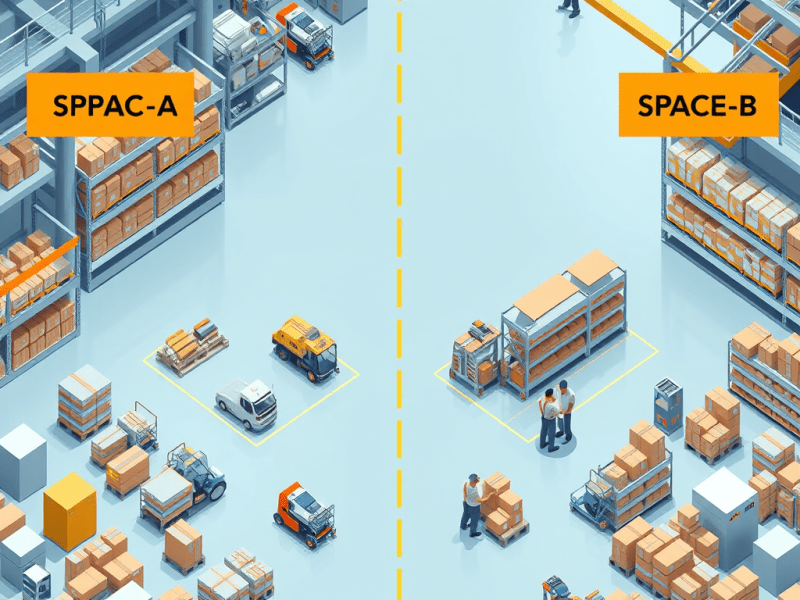
- Two separate zones for storing finished goods:
- SPACE A was used for Make-to-Stock items that stay in storage for a longer time
- SPACE B was a short-term holding zone for Make-to-Order items, typically just a day or two before dispatch
Even though SPACE B was used for fast-moving items and was closer to the dispatch process, it wasn’t a Baydoor or formal dispatch area. It was just a staging zone. Both SPACE A and SPACE B were part of the same warehouse building
Where Things Went Wrong
The team had Advanced WHS enabled in the system, but when it came to the actual configuration, they treated the entire setup as one warehouse with loosely defined locations. SPACE A and SPACE B were not properly modeled as distinct locations with separate rules or location directives.
One of the Make-to-Order items, let’s call it Item X, was produced and placed in SPACE B. It was linked to a sales order that had to be shipped in 2 days.
At the same time, the same item was also sitting in SPACE A, reserved for a different sales order with a similar delivery timeline.
What followed was a mess:
- The picking team got confused and started pulling the wrong items
- The sales orders were not fulfilled as planned
- The dispatch team had to manually go in, unreserve items, and reassign inventory
All this happened even though Advanced WHS was in place — just because the system wasn’t told what each space meant.
What We Learned
Now because automatic reservation was turned on, and the system couldn’t tell the difference between SPACE A and SPACE B, it just picked the available inventory from wherever it found it first. In this case, it pulled stock from SPACE B — the item that was actually meant for a different customer who needed it urgently.
- Just because it’s one building doesn’t mean it should be one warehouse in the system.
If areas serve different business purposes, set them up properly in the system — either as separate warehouses or at least separate locations with proper rules. - Automatic reservation is helpful, but only if guided properly.
Without business rules like order strategy (Make-to-Order vs. Make-to-Stock), the system will just pick whatever is available. That’s not always the right choice. - Staging zones need special treatment.
Temporary areas like SPACE B need their own rules. They are meant for short-term holding, not for long-term storage or random picking.
 Kartik